

You know that feeling when your salary hits, you feel rich for about… 10 days, and then suddenly your bank balance is playing hide and seek? If you’ve ever looked at your account and thought, “Seriously, where did all my money go?” — you’re not alone.
2025 has made spending easier than ever:
UPI payments, tap-to-pay, BNPL, auto-renewing subscriptions, streaming services, food delivery, micro-payments… it all feels small in the moment and huge when the statement lands.
Manual tracking in a notebook or Excel sheet just doesn’t cut it anymore. It’s time-consuming, easy to forget, and honestly, life’s too busy to log each chai and cab ride.
That’s where a good expense tracker app steps in. The right app doesn’t just show you numbers; it helps you:
- See exactly where your money is going
- Track day-to-day expenses automatically
- Build a realistic budget you can actually follow
- Spot leaks like unused subscriptions and impulsive spending
- Move from “money chaos” to “money clarity”
This guide covers the best expense tracker apps of 2025 – free and paid – so you can pick the one that fits your lifestyle, income, and goals.
Key Features to Look for in an Expense Tracker App:
Before we talk about specific apps, let’s answer a simple question: what does a good expense tracker actually need?
Think of it like choosing a gym. Fancy equipment is nice, but if the locker room is a mess and the trainer confuses you, you won’t go. Same with money apps.
Here are the features that matter.
1. Auto-Expense Categorisation
A strong expense tracker app should:
- Pull in transactions from bank accounts and cards
- Classify them into categories automatically (Groceries, Rent, Food Delivery, Fuel, etc.)
- Let you tweak rules if the app mislabels a merchant
AI-based categorisation is becoming more common, especially in apps like PocketGuard, Quicken Simplifi, and newer AI-powered money tools.
2. Bank Account Sync
Look for:
- Support for your banks and cards
- Stable connection
- Fast updates
For Indian users, this often comes through UPI, SMS reading (for transaction alerts) or direct bank sync in newer neobanking apps like Jupiter and Fi.
3. Budgeting System
Different apps use different methods:
- Zero-based budgeting – EveryDollar, YNAB
- Envelope budgeting – Goodbudget
- Category caps with “available to spend” – PocketGuard, Simplifi
You want a system that matches how your brain works. If you’re a “tell me exactly how much I can spend today” person, apps with a simple daily number will feel easier.
4. Alerts & Reminders
Useful alerts include:
- You’re close to crossing a budget category
- Upcoming bills and EMIs
- Unusual spending spike
- Subscription renewals
This is where an expense monitoring app becomes more like a coach than a notebook.
5. Reports & Analytics
Look for:
- Monthly and weekly spending summaries
- Category graphs
- Trends over time
- Insights like: “Your food delivery spend increased 30% vs last month”
These insights help you move from guessing to knowing your spending patterns.
6. Multi-Currency & Travel Support
If you travel or earn in more than one currency, apps like Spendee and Money Manager Expense & Budget support multi-currency usage.
7. Investment & Net Worth Tracking
Some tools go beyond just expenses:
- Empower (formerly Personal Capital) – tracks investments, retirement, and net worth
- QuickBooks / Expensify – better for freelancers and businesses with invoicing and reimbursements
8. Data Export & Ownership
Always nice to have:
- CSV / Excel exports
- Simple statements
- Backup options
If you ever change your expenses app, this helps you carry your history with you.
| App | Key Features | Platform | Free/Paid |
|---|---|---|---|
| YNAB (You Need A Budget) | Real-time syncing, debt reduction | iOS, Android | Paid (34-day free trial) |
| Quicken Simplifi | Full-service financial management, investment tracking, bill pay | iOS, Android | Paid |
| Goodbudget | Envelope-based budgeting, debt tracking, family sharing | iOS, Android | Free, Paid for Premium |
| Expensify | Receipt scanning, mileage tracking, real-time reports | iOS, Android | Free for individuals, Paid for teams |
| QuickBooks | Business expense tracking, invoicing, tax calculations, financial reports | iOS, Android | Paid (30-day free trial) |
| EveryDollar | Zero-based budgeting, debt payoff planner, financial goals | iOS, Android | Free, Paid for Plus |
| Money Manager & Expenses | Personal expense tracking, budget setting, asset management | iOS, Android | Free |
| Empower Personal Capital | Budgeting, expense tracking, savings recommendations, cash advance | iOS, Android | Free |
| Spendee | Multi-currency, shared wallets, customizable budgets | iOS, Android | Free, Paid for Premium |
How We Selected the Best Expense Tracker Apps (Methodology)
There are hundreds of money apps out there. Some are basic daily expenses apps, some are full-blown expense management apps, and others lean hard into investing and net-worth tracking.
To help you choose without spending weeks researching, we followed a clear, user-focused process.
1. Real User Ratings & Reputation
We looked at:
- Android and iOS ratings
- Number of reviews
- How long the app has been around
- Mentions in respected reviews (NerdWallet, Forbes, etc.)
Apps with a history of bugs, sudden paywalls, or poor support didn’t make the cut.
2. Security & Data Protection
Money is sensitive. We prioritised apps that use:
- Bank-level encryption (like AES-256)
- Secure connections (HTTPS, TLS)
- Clear privacy policies
- Optional extra safety features like biometrics or PIN lock
For Indian users, we also paid attention to how apps handle SMS scraping or UPI data, and whether they clearly say they don’t read personal messages.
3. Bank Sync & Reliability
A great expense monitoring app should reduce manual work, not add more. We checked:
- Does it connect to major banks and cards?
- Is categorisation automatic and fairly accurate?
- How often do transactions sync?
Apps like YNAB, Quicken Simplifi, PocketGuard, and Spendee stand out here for their strong bank-sync and automatic categorisation features.
4. Value for Money (Free & Paid)
We compared:
- Free plan features (do they work for real budgets, or are they too limited?)
- Paid plan pricing vs features:
- YNAB: around $14.99/month or $109/year
- Quicken Simplifi: starting near $3–4/month billed annually
- Expensify: $5–9 per user/month for business plans
- QuickBooks Online: tiered plans (Simple Start to Advanced), with updated 2025 prices and 30-day trial
- Spendee Premium: about $35.99/year
- Goodbudget Plus: about $10/month or $80/year
- PocketGuard Plus: from around $6.25/month or $74.99/year
(*Prices change with offers and regions, so always check the official pricing page.)
5. Features That Actually Help You Change Behaviour
We favoured apps that offer:
- Smart insights (like “In My Pocket” in PocketGuard)
- Cashflow or future projections (Quicken Simplifi, QuickBooks)
- Goal-based savings (YNAB, Goodbudget, Spendee, Empower)
6. Cross-Platform & Ease of Use
We make sure each shortlisted app works for:
- iOS
- Android
- And in many cases, a web dashboard too
Apps that looked powerful but felt clunky or confusing didn’t rank as high. If a budgeting tool scares the user, they won’t stick with it.
You May Also Like: Top 12 Budget Apps to Save Money And Plan Your Holidays in 2025
Best Personal Expense Tracker Apps:
Now let’s get into the apps themselves. These are top rated expense tracking apps for 2025 that genuinely help with day-to-day expenses, budgeting, and long-term planning.
Quick note: Pricing is approximate and can vary by country and current offers. Always double-check on the official site or store listing.
1. YNAB (You Need a Budget)

YNAB is more than just an expenses app – it’s a budgeting philosophy. Every dollar you earn is given a “job,” whether that’s rent, groceries, debt, or future travel.
Standout features:
- Zero-based budgeting built-in
- Great for planning before spending
- Strong bank sync in many regions
- Goal tracking (debt payoff, savings, sinking funds)
- Helpful educational content and workshops
Pros:
- Excellent for breaking paycheck-to-paycheck cycles
- Encourages mindful decisions
- Strong community and training content
Cons:
- Learning curve for beginners
- No permanent free plan
Pricing (2025):
- Around $14.99/month or $109/year
- 34-day free trial (no card needed)
Best for: People who like structure and want a serious budgeting system, not just an expense tracker.
Download:
2. Quicken Simplifi

Quicken Simplifi feels like a modern, simplified control panel for your finances. It connects to bank accounts, cards, loans, and investments, then gives you a clear view of where your money goes and what’s left to spend.
Standout features:
- Cashflow projections and planned spending
- Savings goals and watchlists
- Real-time alerts and insights
- Web + mobile experience
Pros:
- Very strong automation and forecasting
- Good for managing multiple accounts and incomes
- Works well for families and small households
Cons:
- No true free forever plan
- Some features are more US-focused
Pricing (2025):
- Starts around $3–4/month billed annually for Simplifi (often discounted for the first year)
Best for: Salaried users, freelancers, or families who want an easy “money snapshot” every day.
Download:
3. Goodbudget

Goodbudget brings the classic envelope budgeting method to your phone. Instead of physical envelopes, you create digital ones: Groceries, Rent, Eating Out, etc., and pre-assign money to them.
Standout features:
- Envelope-based budgeting system
- Sync across multiple phones (great for couples)
- Web + mobile access
- Debt payoff tracking in the Premium plan
Pros:
- Very intentional way to manage spending
- Great for shared household budgets
- Simple interface
Cons:
- The free version is limited
- Automatic bank sync is restricted to certain regions
Pricing (2025):
- Free plan available
- Premium: around $10/month or $80/year
Best for: Couples and families who want shared clarity on money and like the envelope method. Ear for a more budget-friendly annual option.
Download:
4. Expensify- Best Expense Management App
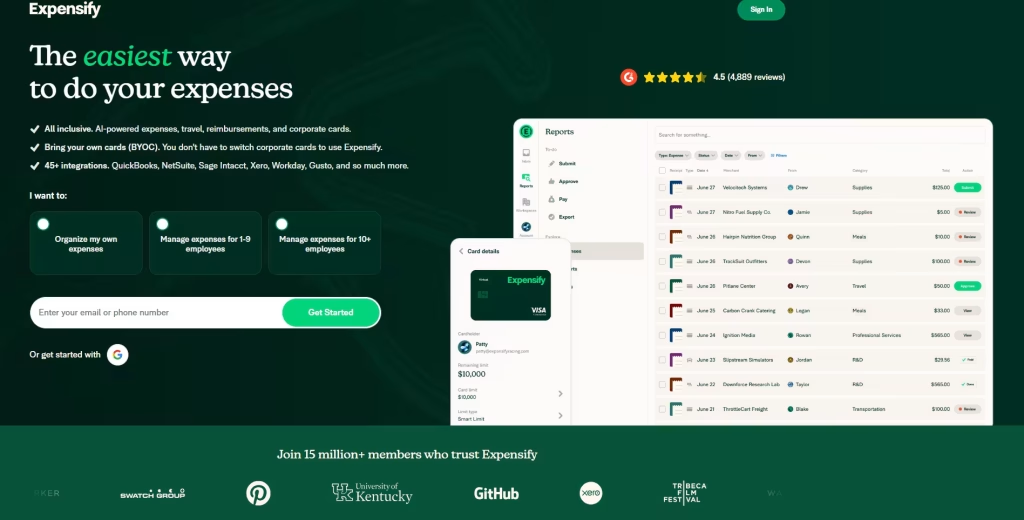
Expensify started as – and still is – one of the best tools for expense management at work. It’s great if you handle reimbursements, client expenses, or travel regularly.
Standout features:
- SmartScan receipt capture
- Corporate card integration
- Automatic expense categorisation
- Multi-level approvals
- Integrates with accounting tools
Pros:
- Excellent for business expenses
- Saves hours on reimbursements
- Clear reporting for finance teams
Cons:
- Overkill if you just want personal budgeting
- Pricing is per user, so it scales with team size
Pricing (2025):
- Individual use: a basic free tier
- Business plans: Collect at about $5/user/month, Control at about $9/user/month
Best for: Freelancers, consultants, and companies that deal with a lot of receipts and reimbursements.
Download:
5. QuickBooks Online
QuickBooks Online isn’t just an expense tracker app – it’s a full accounting system. It tracks expenses, income, invoices, tax categories, and more. Many accountants love it, which is a helpful bonus. Using this app, you can have a clear understanding of your regular expenses, pay your employees, track expenses, receive payment online, and set your new business expense management on track without even having any expert accounting skills.
Standout features:
- Business expense tracking
- Invoicing and payments
- Cash flow dashboard
- Tax and GST category support (varies by country)
- Integration with payroll and advanced reporting
Pros:
- All-in-one financial hub for businesses
- Recognised and trusted worldwide
- Excellent reporting
Cons:
- Overkill if you just want to track personal daily expenses
- Learning curve for total beginners
Pricing (2025):
- Multiple plans: Simple Start, Essentials, Plus, Advanced
- Example US pricing after 2025 update: Simple Start around $38, Essentials $75, Plus $115, Advanced $275 per month (before offers)
- It usually offers a 30-day free trial
Best for: Entrepreneurs, agencies, solo founders, and small business owners who want one tool for expenses, invoicing, and accounting.
Download:
6. EveryDollar – Zero-Based Budgeting App

EveryDollar helps you give every rupee a purpose and is built around a zero-based budget: income minus expenses equals zero (with savings and debt payoff included).
Standout features:
- Zero-based budgeting
- Monthly budget templates
- Debt tracking
- Goal tracking
Pros:
- Clean and simple interface
- Works well for beginners
- Strong focus on debt freedom
Cons:
- The strongest features sit in the paid version
- Bank sync and automations are limited in the free version
Pricing (2025):
- Free basic budgeting version
- Premium: around $79.99/year, sometimes framed differently in the store
Best for: People who like Ramsey content or want a very straightforward zero-based budgeting tool
Download:
7. Money Manager Expense & Budget App

Money Manager is a popular daily expenses app with over 20 million downloads, strong ratings, and a neat double-entry bookkeeping engine under the hood.
Standout features:
- Track cash, card, and bank accounts
- Multiple currencies
- Budget setting
- Calendar view for expenses
- Detailed stats (daily, weekly, monthly, yearly)
Pros:
- Great for tracking in detail
- Works for personal and small business use
- Fairly lightweight and fast
Cons:
- The interface looks a bit more “utility” than modern for some users
- Bank sync may be more manual in some markets
Pricing (2025):
- Free with optional paid upgrade / ad-free version
Best for: Students, young professionals, and small business owners who like structure but don’t want a subscription-heavy tool.
Download:
Read Also: 7 Best Business Expense Management Software for Transparent Expense Tracking
8. Empower (formerly Personal Capital)

Empower (Personal Capital rebranded) is a hybrid: part budgeting tool, part wealth dashboard. It’s amazing if you’ve got multiple accounts, retirement funds, and investments and want to see them together.
Standout features:
- Net worth dashboard
- Investment tracking and analysis
- Budget and cash flow tools
- Retirement planner and fee analyser
Pros:
- Great big-picture view of your money
- Helpful for long-term planning
- Free core tools
Cons:
- More US-focused for full functionality
- Some features tilt towards people with higher investable assets
Pricing (2025):
- Budgeting tools are free
- Wealth management services are paid based on assets
Best for: Investors, higher-income professionals, and people who want to plan for retirement while tracking spending.
Download:
9. Spendee

Spendee is a stylish budget and expenses app that supports multiple currencies and shared wallets, making it handy for couples, flatmates, or travellers.
Standout features
- Shared wallets and budgets
- Multi-currency support
- Bank sync (where supported)
- Clean charts and visual reports
Pros
- Very user-friendly and good-looking
- Good for tracking combined household or trip expenses
- Basic free plan works for many users
Cons
- Some useful features sit behind Premium
- The web version is still catching up
Pricing (2025)
- Basic: Free
- Premium: around $35.99/year with a 7-day free trial
Best for: Families, couples, and travellers who need shared and multi-currency tracking.
Download:
10. PocketGuard
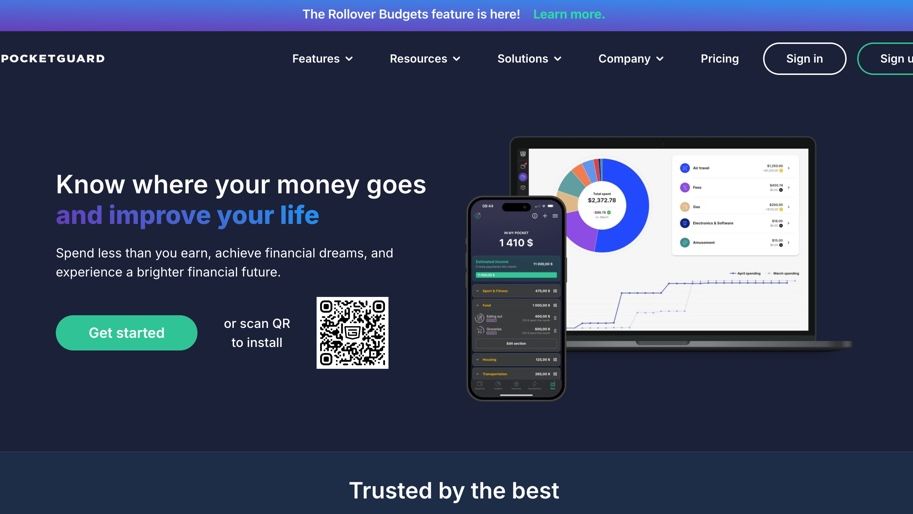
PocketGuard focuses on a simple but powerful concept: “In My Pocket” – how much is safe to spend after bills, goals, and savings are accounted for. It’s especially useful if you often overshoot your budget and need clear guardrails.
Standout features:
- “In My Pocket” spending limit
- Automatic categorisation and budgets
- Bill tracking and subscription detection
- Suggestions to lower bills
Pros:
- Great for people who hate spreadsheets
- Simple green/red feeling around money
- Helps curb impulse spending
Cons:
- The best features are in the paid version
- Strongest bank-sync support is in the US/UK/Canada
Pricing (2025):
- PocketGuard Plus: around $6.25/month (annual) or $12.99/month in some regions
Best for: Chronic overspenders and people who want a very clear daily spending number.
Download:
Best Expense Tracker Apps by Category (2025)
Here’s a quick “who should use what” view.
| Category | App(s) | Why it stands out |
|---|---|---|
| Best for beginners | EveryDollar, Spendee | Simple UI, easy budget creation |
| Best free app | Spendee Basic, Money Manager, Goodbudget Free | Strong core features without payment |
| Best AI-style automation | Quicken Simplifi, PocketGuard | Automated insights, alerts, and smart views |
| Best for small businesses & freelancers | QuickBooks Online, Expensify | Invoicing, reimbursements, tax reports |
| Best for families & couples | Goodbudget, Spendee, Quicken Simplifi | Shared budgets, sync across devices |
| Best for daily expenses tracking | Money Manager, PocketGuard | Strong tracking and daily spend limits |
| Best for subscription tracking | PocketGuard, Quicken Simplifi | Flags recurring payments and bill overspends |
| Best for multi-currency travellers | Spendee, Money Manager | Multi-currency wallets and tracking |
| Best for investment & net worth | Empower, YNAB (with goals) | Investment tracking + long-term planning |
.
You don’t have to stick to just one category either. For example, someone might use:
- PocketGuard for everyday spending control
- Empower for long-term investment tracking
- QuickBooks for business expenses
The key is to keep your personal expense tracking simple enough that you actually use it.
To Wrap Things Up
Let’s know your views or your experience if you use any of the above budget tracker apps that get your money into shape, and we also welcome suggestions.
All of the money tracker app mentioned above have millions of downloads and have good reviews on both Google Play Store and Apple’s App Store. Now, these apps don’t promise to make you rich instead will help you gain better control over your finances. It will help you realize your good and bad expenses, help you save for the future, and make you bring financial stability.
FAQs on Expense Tracker Apps:
The best way to track your expenses is to create a budget that outlines your spending goals and regular income. You should start by letting the budget reflect your current financial situation – income, bills, debts, investments, and other expenses – so that it’s an accurate representation of where you stand financially.
Consider factors such as the app’s availability, cost, and customer service. With just a bit of planning and consideration, you can find the right budgeting application easily.
Best expense manager apps can be worth the cost for those looking to get a better handle on their expenses and stay on top of their financial goals. They can provide a clear visualization of where your money is going and allow you to create budgets, save goals, and more.
Yes, reputable expense tracker apps employ robust security measures like encryption and user authentication to protect your financial data. Always choose a trusted app with a good track record.
Look for features such as expense categorization, budgeting tools, customizable reports, and the ability to set financial goals. The best apps provide a user-friendly interface and strong customer support.
Most expense tracker apps offer cross-platform compatibility. You can access your data on smartphones, tablets, and desktops through dedicated apps or web interfaces.
To choose the right app, consider your specific requirements, such as budget complexity, platform preference, and integration needs. Read user reviews, compare features, and, if possible, try out a few apps to see which one suits you best.