

Need to download videos from websites using Chrome? We’ve tested 10 of the best video downloader extensions for Chrome in 2025 to help you save videos in MP4, WebM, and other formats for offline viewing. From Vimeo to Facebook, these free Chrome extensions make video downloading easy and safe.
Quick Picks for 2025:
- Best Overall: Video DownloadHelper (8M+ users, 1000+ sites)
- Most Popular: Video Downloader Professional (40M+ users)
- Best Ad-Free: CocoCut (clean interface, no ads)
- Best for Live Streams: Video Downloader PLUS (records live)
In this comprehensive guide:
✅ Top 10 Chrome video downloader extensions compared
✅ Safety ratings and user reviews from Chrome Web Store
✅ Supported formats (MP4, WebM, OGG, MP3)
✅ Step-by-step installation guide with screenshots
✅ Legal considerations and what you CAN download
✅ Troubleshooting common download issues
Important: Most Chrome extensions CANNOT download YouTube videos (it violates YouTube’s Terms of Service). We’ll cover YouTube alternatives later in this guide.
IMPORTANT LEGAL NOTICE: Downloading copyrighted content without permission is ILLEGAL in most countries. These Chrome video downloader extensions should ONLY be used for downloading your own videos, public domain content, Creative Commons licensed videos, or content where you have explicit download permission. YouTube’s Terms of Service PROHIBIT downloading videos. Use these tools responsibly and legally.

Top 10 Best Video Downloader Extensions for Chrome (Detailed Reviews)
1. Video DownloadHelper – Best Overall Chrome Video Downloader:
Our Rating: 5/5 – Editor’s Choice
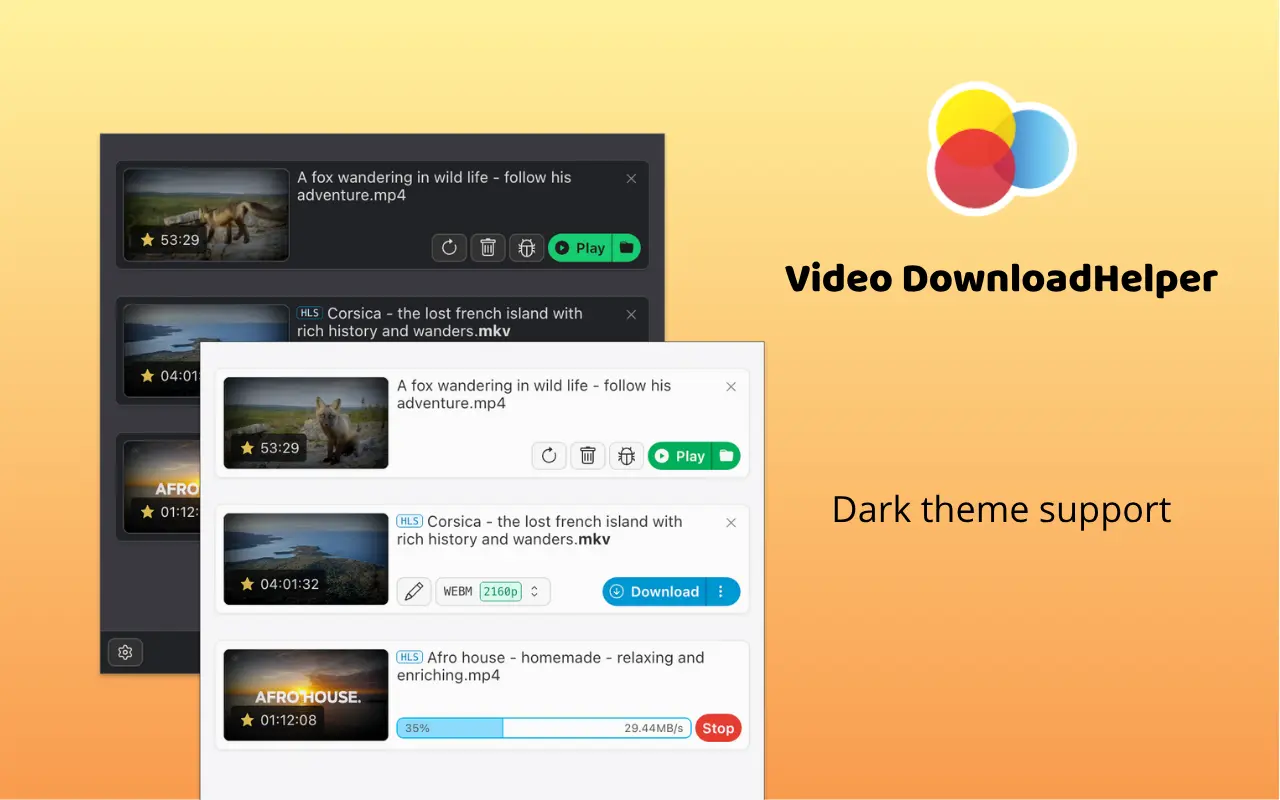
Video DownloadHelper is the best video downloader extension for Chrome in 2025, supporting 1000+ websites, including Vimeo, Facebook, Dailymotion, Twitter, and Instagram. It’s the most comprehensive and reliable option for downloading videos from almost any website (except YouTube due to Terms of Service restrictions).
Key Features:
- 1000+ website support – Works with Vimeo, Facebook, Dailymotion, Twitter, Instagram, Reddit, TikTok, and more
- Multiple format support – Download in MP4, WebM, OGG, MOV, AVI, ASF, MPG
- Live stream recording – Capture live streams directly from Twitch, Facebook Live, and other platforms
- Built-in video converter – Convert videos to different formats after downloading
- Ad blocker included – Block ads during video playback
- Customizable interface – Adjust settings to your preferences
- Download manager – Track multiple downloads simultaneously
- Smart detection – Automatically detects all downloadable videos on a page
How It Works:
- Install Video DownloadHelper from the Chrome Web Store
- Navigate to a website with a video (e.g., Vimeo, Facebook)
- The extension icon turns blue when a downloadable video is detected
- Click the icon to see available formats and resolutions
- Select your preferred quality (SD, HD, 1080p, 4K if available)
- Click the download button – video saves to your Downloads folder
Supported Video Formats:
- MP4 (most common, best compatibility)
- WebM (web standard, smaller file sizes)
- OGG (open source format)
- MOV (Apple QuickTime format)
- AVI (older format, widely supported)
- ASF (Windows Media format)
- MPG (MPEG video format)
Supported Websites (Examples):
✅ Vimeo, Facebook, Dailymotion, Twitter, Instagram, Reddit, TikTok, Twitch, Metacafe, Rumble, BitChute, Archive.org, and 1000+ more
❌ Does NOT work with: YouTube, Netflix, Hulu, Disney+, Amazon Prime Video (DRM-protected or ToS violations)
Pros:
✅ Most comprehensive website support (1000+ sites)
✅ Can record live streams in real-time
✅ Built-in format converter saves time
✅ Regular updates and active development
✅ Free version is fully functional
✅ Excellent video quality detection (up to 4K)
✅ Strong privacy – no data collection
✅ Works on Windows, Mac, Linux, Chrome
Cons:
❌ Does NOT work with YouTube (against YouTube ToS)
❌ Interface can be complex for beginners
❌ Some advanced features require premium ($2.99/month)
❌ Occasional false positives (detects non-downloadable videos)
❌ Premium nag screens in free version
Premium Features ($2.99/month):
- Remove watermark from converted videos
- Batch download multiple videos
- Priority customer support
- Advanced format conversion options
Safety Rating: 5/5 – Very Safe
- 8M+ users worldwide
- Verified developer (downloadhelper.net)
- Active development since 2007
- Transparent privacy policy
- Minimal permissions required
2. Video Downloader Professional – Most Popular Chrome Video Downloader:
Our Rating: 4/5
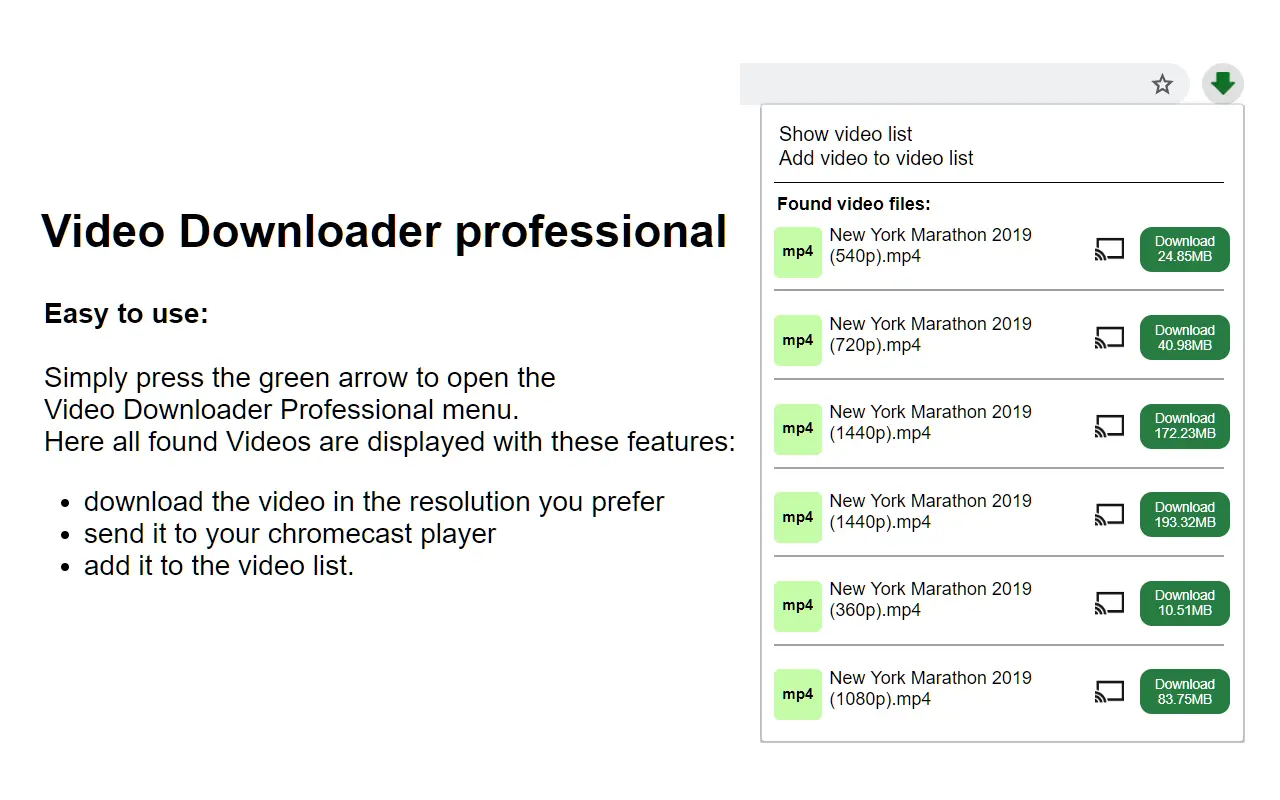
Video Downloader Professional is the most popular video downloader extension for Chrome with over 40 million users worldwide. Developed by startpage24.com, it offers a clean interface and reliable downloading from hundreds of websites.
Key Features:
- Clean, intuitive interface – Easy to use for beginners
- MP3 audio extraction – Download audio-only from videos
- MP4 video download – Save videos in universal MP4 format
- Resolution options – Choose from SD, HD, 1080p when available
- Download list – Save videos to a list for later viewing
- Fast download speeds – Optimized for quick downloads
- Completely free – No premium version or paywalls
How It Works:
- Add extension to the Chrome browser
- Visit the website with video content
- The extension icon lights up when a video is detected
- Click the icon to view available download options
- Select format (MP4 or MP3) and resolution
- Click download – video or audio saves automatically
Supported Formats:
- MP4 – Video format (various resolutions)
- MP3 – Audio-only extraction
Supported Websites:
✅ Vimeo, Dailymotion, Facebook, Metacafe, Veoh, Break, and 500+ others
❌ Does NOT support: YouTube, Netflix, streaming services with DRM
Pros:
✅ Huge user base (40M+) proves reliability
✅ Very simple, beginner-friendly interface
✅ MP3 audio extraction included
✅ Multiple resolution options
✅ Download list for organization
✅ Completely free with no premium upsells
✅ Fast, lightweight extension
Cons:
❌ Fewer website supports than Video DownloadHelper
❌ No live stream recording capability
❌ Limited format options (only MP4/MP3)
❌ No built-in video converter
❌ Last major update was 2017 (still works, but ageing)
❌ Occasional download failures on newer sites
Safety Rating: 4/5 – Safe
- 40M+ users (largest user base)
- Established developer (startpage24.com)
- Long track record (since 2010)
- Minimal permissions required
- Note: Hasn’t been updated since 2017, but is still functional
3. Video Downloader Pro – Best for Quick Downloads :

Our Rating: 4/5
Video Downloader Pro is a fast and versatile Chrome video downloader extension that excels at quick downloads from multiple websites. It’s recognized for its speed and compatibility with various video platforms.
Key Features:
- Lightning-fast downloads – Optimized download engine
- Multi-website support – Works with 300+ video hosting sites
- Multiple format support – MP4, WebM, and more
- Quality selection – Choose video resolution before downloading
- Direct downloads – No redirects or intermediate pages
- Free to use – No hidden costs or premium features
How It Works: Video Downloader Pro automatically detects videos as you browse. When a downloadable video is found, the extension icon activates. Simply click it to view available formats and resolutions, then download with one click.
Supported Formats:
- MP4 (most common)
- WebM (web videos)
- FLV (Flash videos)
Supported Websites:
✅ Vimeo, Dailymotion, Facebook, Metacafe, and 300+ others
❌ Does NOT support: YouTube, premium streaming services
Pros:
✅ Very fast download speeds
✅ Clean, distraction-free interface
✅ Works with 300+ websites
✅ No ads or popups
✅ Lightweight and doesn’t slow browser
✅ Regular updates
Cons:
❌ Limited advanced features
❌ No live stream recording
❌ Fewer format options than competitors
❌ Sometimes misses embedded videos
❌ No video converter included
Safety Rating: 4/5 – Safe
- 5M+ users
- Active updates
- Minimal permissions
- Good Chrome Web Store reviews
4. Video Downloader PLUS – Best for Live Stream Recording:
Our Rating: 4.5/5
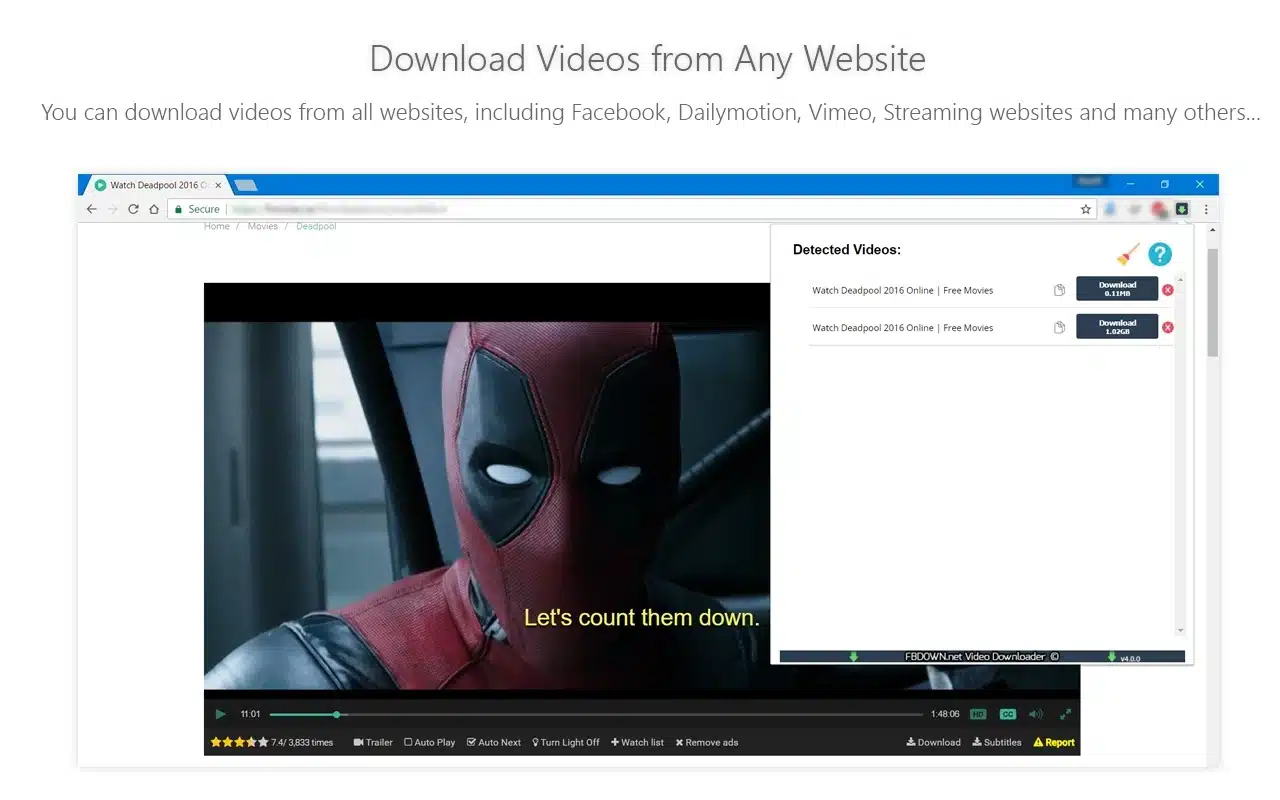
Video Downloader PLUS is the best Chrome extension for recording live streams and downloading videos from websites. It offers unique features like customizable download settings and auto-play detection.
Key Features:
- Live stream recording – Capture streams in real-time from Twitch, Facebook Live, etc.
- Auto-play detection – Automatically detects videos that auto-play
- Customizable functions – Adjust download settings and preferences
- Save to the dialogue box – Choose the save location for each download
- No ads or limits – Completely ad-free experience
- Multiple resolutions – Download in SD, HD, 1080p, 4K when available
- Smart video detection – Finds all videos on complex pages
How It Works:
- Install Video Downloader PLUS from the Chrome Web Store
- Browse to a page with a video or a live stream
- Extension automatically collects all available video resolutions
- Click the extension icon to see download options
- Select desired resolution and format
- Choose a save location and download
Supported Formats:
- MP4 (video)
- WebM (web video)
- M3U8/HLS (live streams)
- FLV (Flash video)
Supported Websites:
✅ Vimeo, Dailymotion, Twitch, Facebook Live, Twitter, Instagram, and 400+ others
❌ Does NOT support: YouTube, DRM-protected streaming services
Pros:
✅ Excellent live stream recording capability
✅ Completely ad-free experience
✅ No download limits (unlimited)
✅ Customizable download settings
✅ Auto-play video detection
✅ Clean, modern interface
✅ Regular updates and bug fixes
✅ Works with complex embedded videos
Cons:
❌ Setup can be slightly complex for beginners
❌ Requires more permissions than simpler extensions
❌ Occasional issues with heavily encrypted streams
❌ File organization can get messy without manual sorting
Safety Rating: 4/5 – Safe
- 3M+ users
- Regular updates
- Transparent about permissions
- Good reputation in Chrome Web Store
5. MPMux – Best for Merging Multiple Video Streams:
Our Rating: 4.5/5
MPMux is a specialized Chrome video downloader extension that excels at handling fragmented videos and merging multiple streams. Perfect for downloading videos that are split into audio and video tracks, which is common on many modern video platforms.
Key Features:
- Stream merging – Automatically merges separate audio and video streams
- Multiple format support – MP4, MKV, WebM, and more
- Smart detection – Identifies all video components on a page
- Live stream support – Record and download live broadcasts
- Fast processing – Quick merging and encoding
- Clean interface – Modern, intuitive design
- Quality selection – Choose from all available resolutions
How It Works: MPMux works seamlessly with websites that serve video and audio as separate streams (DASH/HLS format). When you visit a video page, it detects all streams, allows you to select quality, and then automatically merges them into a single playable file.
Technical Advantage: Many modern video sites (including some social media platforms) deliver video and audio separately for bandwidth optimization. MPMux handles this complexity automatically, unlike basic downloaders that may only grab video without audio or vice versa.
Supported Formats:
MP4, MKV, WebM, M3U8/HLS
Supported Websites:
✅ Vimeo, Dailymotion, Facebook, Twitter, Instagram, and 400+ sites with fragmented streams
Pros:
✅ Handles complex fragmented videos (audio + video merge)
✅ Excellent for modern streaming sites
✅ Live stream recording capability
✅ Multiple output format options
✅ Fast processing and encoding
✅ Clean, modern interface
✅ Regular updates and bug fixes
✅ Free with no premium upsells
Cons:
❌ More complex than basic downloaders
❌ Requires understanding of video formats
❌ Processing time needed for merging
❌ Larger file sizes due to high quality
❌ May struggle with heavily encrypted streams
Technical Note: If you’ve ever downloaded a video that played without sound, it’s because the audio and video were separate streams. MPMux solves this problem automatically.
Safety Rating: 5/5 – Very Safe
- 800K+ users
- Active development team
- Regular security updates
- Minimal permissions required
- Transparent about functionality
6. FetchV – Best for Batch Video Downloading:
Our Rating: 4.5/5
FetchV is the best Chrome extension for batch downloading multiple videos at once. Perfect for users who need to download entire playlists, galleries, or multiple videos from a single page efficiently.
Key Features:
- Batch downloading – Download multiple videos simultaneously (up to 10)
- Playlist support – Grab entire video playlists automatically
- Smart page scanning – Detects all videos on complex pages
- Download queue – Manage and prioritize downloads
- Live stream recording – Capture live broadcasts
- Progress tracking – Monitor multiple downloads simultaneously
- Pause/Resume – Control downloads with pause and resume
How It Works:
- Navigate to a page with multiple videos (playlist, gallery, or multi-video page)
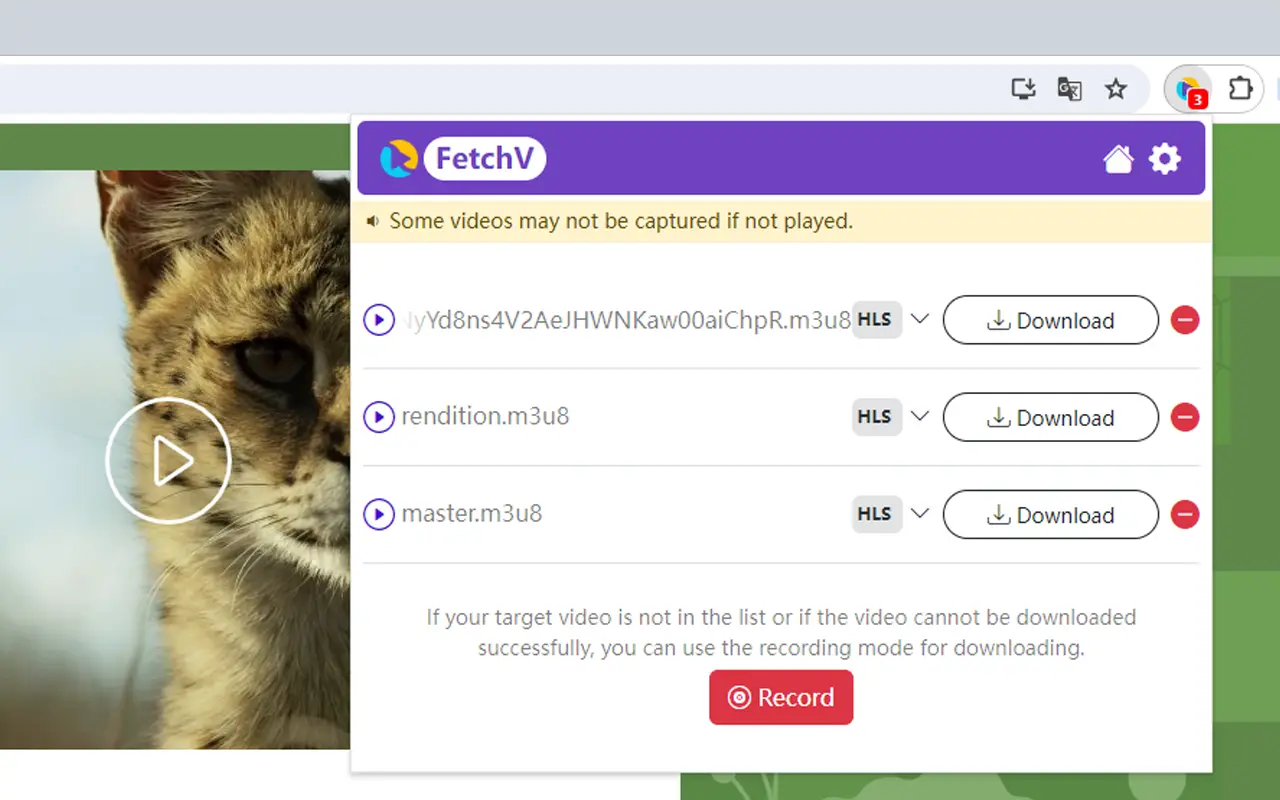
- FetchV icon lights up, showingthe number of detected videos
- Click the icon to see all available videos in a list
- Select videos you want (or “Select All”)
- Choose quality and format for each or apply globally
- Click “Download All” – videos queue and download sequentially
Supported Formats:
- Video: MP4, WebM, MKV, AVI, MOV, FLV, MPEG
- Audio: MP3, AAC, OGG, M4A (extract audio from videos)
Supported Websites:
✅ Vimeo, Dailymotion, Facebook, Twitter, Instagram, educational sites, course platforms, and 500+ websites
Pros:
✅ Download up to 10 videos simultaneously
✅ Perfect for course videos and tutorials
✅ Playlist and gallery support
✅ Smart file naming (no generic filenames)
✅ Pause and resume functionality
✅ All major formats supported
✅ Free with no download limits
Cons:
❌ Can be resource-intensive with many simultaneous downloads
❌ Requires more storage space planning
❌ Learning curve for batch settings
❌ May slow browser if downloading many large videos
❌ Queue management needed for organization
Safety Rating: 5/5 – Very Safe
- 1.2M+ users
- Excellent Chrome Web Store reviews
- Regular updates every 2-3 months
- Active developer support
7. CocoCut – Best Ad-Free Video Downloader:
Our Rating: 4.5/5
CocoCut is the best ad-free video downloader extension for Chrome with a completely clean interface and zero advertisements. Perfect for users who want distraction-free downloading.
Key Features:
- 100% ad-free – No ads, popups, or interruptions
- Clean interface – Minimalist, distraction-free design
- All format support – Download videos and audio in any format
- Fast downloads – Optimized download engine
- Website integration – Seamlessly integrates with Chrome
- Completely free – No premium version or hidden costs
- Privacy-focused – No data collection or tracking
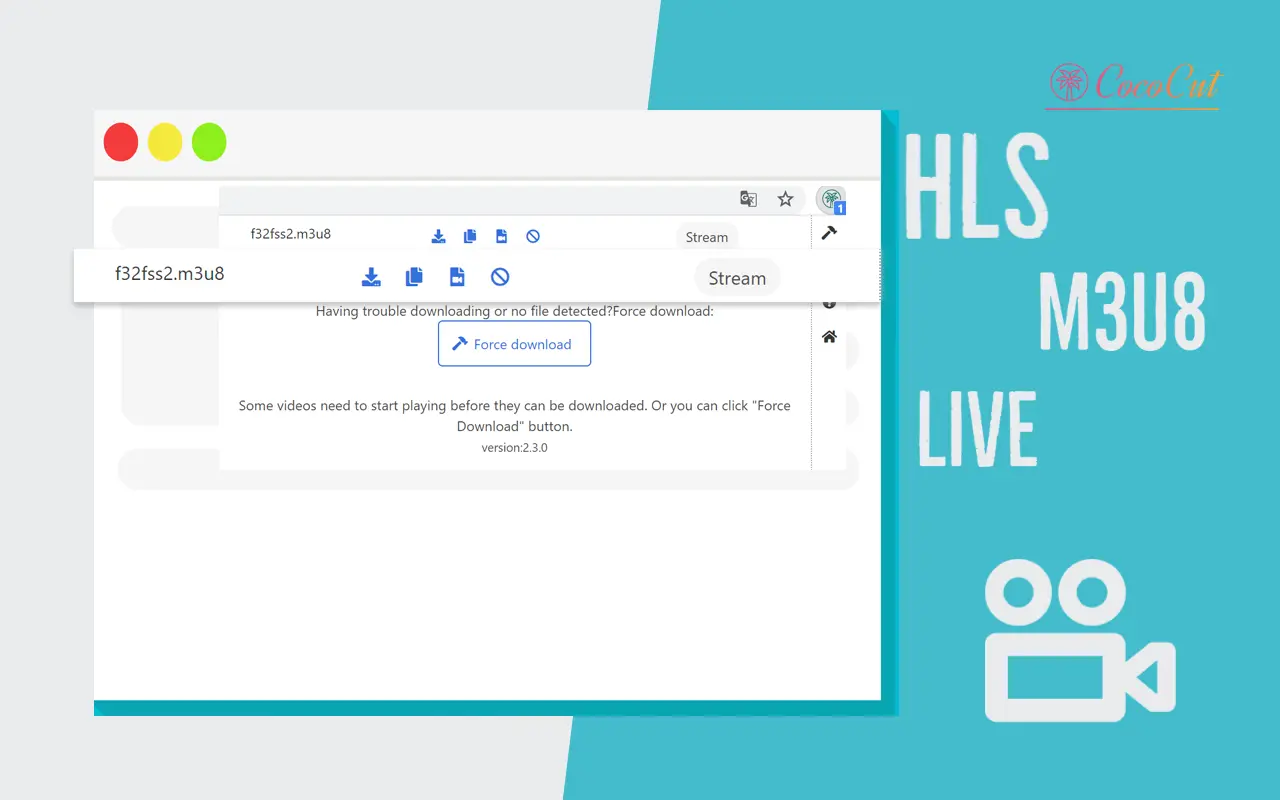
How It Works: CocoCut integrates seamlessly into your browsing experience. When you visit a page with a video, the extension automatically detects it. A small download button appears on the video player itself, allowing instant downloads without opening additional menus.
Supported Formats:
- MP4, WebM, OGG, MOV, AVI, FLV
- MP3, AAC, OGG (audio)
Supported Websites:
✅ Vimeo, Facebook, Dailymotion, Twitter, Instagram, and 300+ others
❌ Does NOT support: YouTube (Terms of Service violation)
Pros:
✅ Absolutely zero advertisements
✅ Cleanest, most elegant interface
✅ Very fast downloads
✅ Privacy-focused (no tracking)
✅ Works seamlessly without interruptions
✅ Completely free forever
✅ Regular updates
✅ Lightweight (doesn’t slow browser)
Cons:
❌ Fewer advanced features than Video DownloadHelper
❌ No live stream recording
❌ Limited customization options
❌ Smaller user community for support
Safety Rating: 5/5 – Very Safe
- 1M+ users
- Developed by a reputable company (cococut.net)
- No data collection
- Minimal permissions
- Excellent user reviews
8. Video Downloader Unlimited – Best for HLS Video Support:
Our Rating: 4/5
Video Downloader Unlimited specializes in downloading HLS (HTTP Live Streaming) videos, making it unique among Chrome video downloaders. Excellent for streaming video content.
Key Features:
- HLS video support – Download M3U8/HLS streaming videos
- Multiple formats – MP4, WebM, MPEG, OGG, and more
- Smart detection – Extension icon turns blue when videos are found
- Detailed information – Shows format, size, and resolution before downloading
- Fast downloads – Optimized for large streaming files
- Resolution selection – Choose the best quality for your needs
- Free to use – No paid features
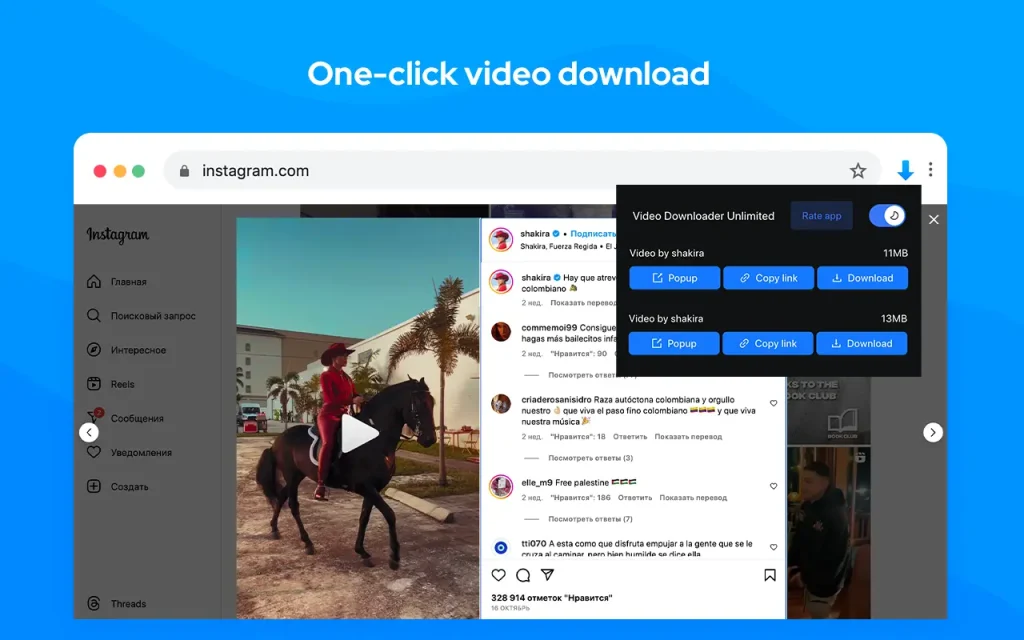
How It Works: When you visit a page with downloadable video content, Video Downloader Unlimited’s icon turns blue in your browser’s toolbar. Click it to see a pop-up showing all available videos with details like format and file size. Select your preferred resolution and click download.
Supported Formats:
- MP4, WebM, MPEG, OGG, FLV
- HLS/M3U8 (streaming video format)
Supported Websites:
✅ Vimeo, Dailymotion, Facebook, sports streaming sites, news websites, and 400+ others
Pros:
✅ Unique HLS/M3U8 streaming support
✅ Shows file details before downloading
✅ Smart resolution detection
✅ Works with sports and news streaming sites
✅ Fast download speeds
✅ Free with no limitations
Cons:
❌ HLS downloads can be slow for long videos
❌ The interface could be more intuitive
❌ Occasional issues with some streaming protocols
❌ No live stream recording (only downloads completed streams)
Safety Rating: 4/5 – Safe
- 1.5M+ users
- Regular updates
- Good reputation
- Minimal permissions
9. Vimeo Download Videos – Best for Vimeo Specifically:
Our Rating: 4.5/5
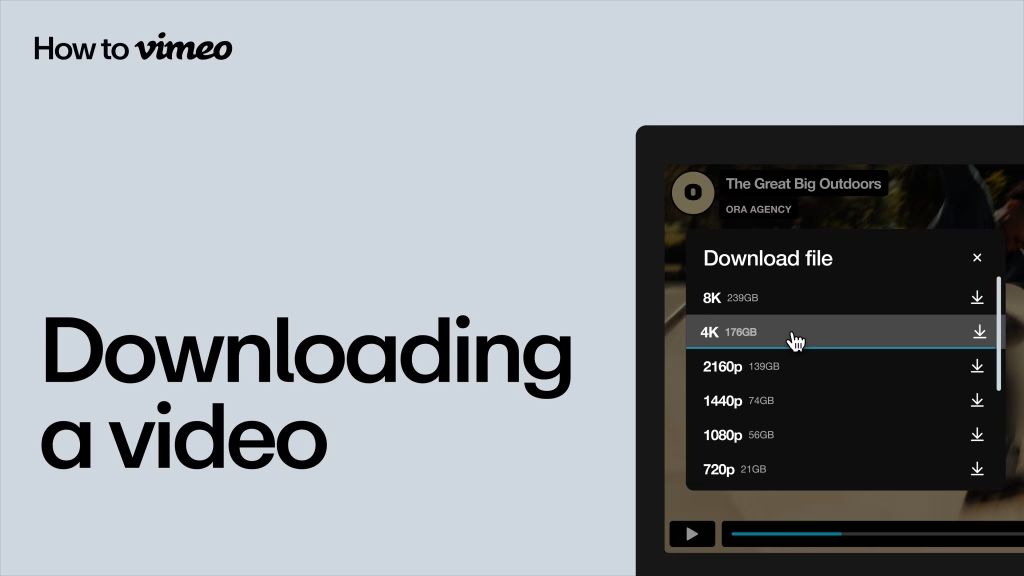
Vimeo Download Videos is a specialized Chrome extension designed specifically for downloading videos from Vimeo. If you frequently download from Vimeo, this is the most reliable option.
Key Features:
- Vimeo specialist – Optimized specifically for the Vimeo platform
- HD, 2K, 4K support – Download in the highest available quality
- One-click download – A Simple button appears on Vimeo videos
- Live stream recording – Record Vimeo live streams
- Multiple quality options – Choose from all available resolutions
- Works on embedded Vimeo – Downloads from any website with the Vimeo player
- Free and ad-free – No costs or advertisements
How It Works: When you visit a Vimeo video (on vimeo.com or embedded on other sites), a download button appears directly on the video player. Click it to see all available quality options (360p, 720p, 1080p, 4K), select your preference, and download instantly.
Supported Formats:
- MP4 (all resolutions)
- MOV (when available)
Supported Platforms:
✅ Vimeo.com (all videos) ✅ Embedded Vimeo players on any website ✅ Vimeo Live streams
❌ Only works with Vimeo (not other platforms)
Pros:
✅ Most reliable Vimeo downloader
✅ Highest quality downloads (4K supported)
✅ Works on embedded Vimeo videos
✅ Can record live Vimeo streams
✅ Completely free and ad-free
✅ Very fast downloads
✅ Simple, one-click operation
✅ Developed by a Vimeo-focused team
Cons:
❌ ONLY works with Vimeo (single-purpose)
❌ Useless if you don’t use Vimeo
❌ No other website supports
❌ Limited to MP4/MOV formats
Safety Rating: 5/5 – Very Safe
- Developed by catalint.ro (trusted developer)
- 150K+ satisfied users
- Excellent Chrome Web Store reviews (4.7/5)
- Minimal permissions (only Vimeo access)
- No data collection
10. Easy Video Downloader – Best for Simplicity:
Our Rating: 3.5/5
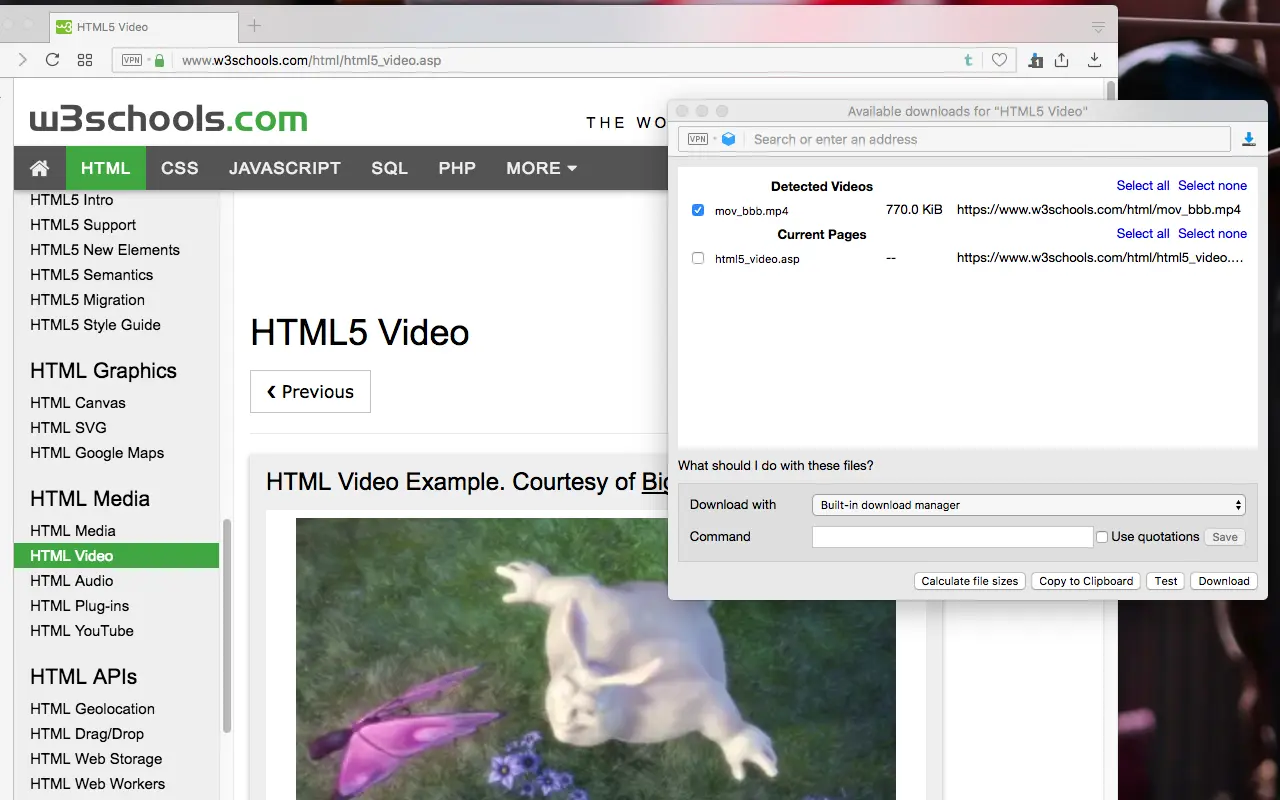
Easy Video Downloader lives up to its name with the simplest, most straightforward downloading experience among Chrome extensions. Perfect for users who want zero complexity.
Key Features:
- Ultra-simple interface – No learning curve whatsoever
- Quick downloads – Videos, audio, and images
- Internal & external download managers – Choose your preference
- Interruption support – Pause and resume downloads
- Right-click menu integration – Download from context menu
- Direct downloads – No unnecessary steps or popups
- Free to use – No premium version
How It Works: Easy Video Downloader integrates into Chrome’s right-click menu. When you see a video, audio, or image you want to download, simply right-click on it and select “Download with Easy Video Downloader.” That’s it – no complicated menus or options.
Supported Formats:
- MP4, WebM, OGG (video)
- MP3, AAC (audio)
- JPEG, PNG, GIF (images)
Supported Websites:
✅ Most video hosting sites (200+ supported)
Pros:
✅ Easiest to use (perfect for non-tech-savvy users)
✅ Right-click menu integration is convenient
✅ Can download videos, audio, AND images
✅ Interruption support for large files
✅ Works with external download managers
✅ Lightweight and fast
✅ No ads or bloat
Cons:
❌ Fewer features than advanced extensions
❌ No live stream recording
❌ Limited format options
❌ Doesn’t work on all websites
❌ Basic video detection (misses some embedded videos)
Safety Rating:4/5 – Safe
- 500K+ users
- Long-standing extension
- Minimal permissions
- Good reputation
How to Install Chrome Video Downloader Extensions (Step-by-Step Guide)
Complete Installation Guide
1: Open Chrome Web Store
- Open the Google Chrome browser on your computer
- Visit chrome.google.com/webstore
- Or search “Chrome Web Store” in Google
2: Search for Extension
- In the search bar, type the extension name (e.g., “Video DownloadHelper”)
- Press Enter to see search results
- Look for the official extension with high ratings (4+ stars)
3: Verify Extension Legitimacy, IMPORTANT: Check these before installing:
- ✅ Rating: 4+ stars (avoid anything below 3.5 stars)
- ✅ Users: 100K+ users (more = more trusted)
- ✅ Reviews: Read recent reviews (past 3 months)
- ✅ Developer: Verify it’s the official developer
- ✅ Permissions: Check what permissions it requests
4: Install Extension
- Click the blue “Add to Chrome” button
- A pop-up appears showing required permissions
- Review permissions carefully:
- ✅ Normal: Access to video websites
- Warning: Access to ALL websites, credit cards, passwords
- Click “Add Extension” to confirm
5: Pin Extension to Toolbar
- After installation, the extension icon appears in the toolbar
- Click the puzzle piece icon (Extensions)
- Find your video downloader in the list
- Click the pin icon next to it
- The extension icon is now visible in the toolbar for easy access
6: Test the Extension
- Visit a video website (e.g., Vimeo.com)
- Play any video
- Look for the extension icon to light up/turn blue
- Click the icon to see download options
- Select format and quality
- Click the download button
Congratulations! You’ve successfully installed a Chrome video downloader extension.
Final Thoughts: Download Videos Responsibly
Chrome video downloader extensions are powerful tools that make saving videos for offline viewing easy and convenient. However, with great power comes great responsibility.
Key Takeaways:
✅ Always respect copyright – Only download content you have legal rights to
✅ Use reputable extensions – Stick to our tested, safe recommendations
✅ Check permissions – Don’t install extensions requesting excessive access
✅ Stay updated – Keep Chrome and extensions current for security
✅ Support creators – Consider legal alternatives like YouTube Premium
Remember: Just because you CAN download something doesn’t mean you SHOULD. Content creators rely on views and ad revenue. Support them by:
- Watching videos on their platforms when possible
- Using YouTube Premium for legal offline viewing
- Purchasing or renting content legitimately
- Sharing links instead of downloaded files
The Bottom Line: Chrome video downloader extensions are incredibly useful for legitimate purposes like downloading your own content, public domain videos, or Creative Commons-licensed material. Use them wisely, legally, and ethically.
FAQ’s:
No, Chrome extensions cannot legally download YouTube videos. YouTube’s Terms of Service prohibit downloading, and Google removes extensions that bypass this rule.
Video DownloadHelper is the best Chrome video downloader in 2025. It supports 1000+ sites, records live streams, converts formats, and has over 8M users.
Yes, if you install from the official Chrome Web Store and choose trusted ones with high ratings, many users, and recent updates.
It may fail due to blocked sites (like YouTube), DRM-protected videos, outdated extensions, or unsupported formats. Update Chrome and try another extension.
Yes, if the source video supports it. Use extensions like Video DownloadHelper or Vimeo Download Videos and choose the highest resolution available.
Downloading is legal only for public domain, Creative Commons, or your own videos. Downloading copyrighted or DRM-protected videos is illegal.
No, Chrome extensions don’t work on Android or iOS. Use desktop Chrome or mobile apps and online downloader websites instead.
No, extensions can’t download private, age-restricted, DRM-protected, or paywalled videos due to security and copyright protections.
Video Downloader PLUS is best for recording live streams from Twitch, Facebook Live, and Instagram Live. Video DownloadHelper is a strong alternative.
Go to chrome://extensions, find the extension, click Remove, confirm, and restart Chrome. You can also clear browsing data for a full cleanup.