


Let’s be honest for a second.
Posting on Instagram sounds easy—until it’s 10:37 PM, your Reel is still in drafts, captions aren’t ready, hashtags feel random, and tomorrow’s content? Completely blank. Sound familiar?
That’s exactly why Instagram scheduling apps have gone from “nice to have” to “how-do-people-manage-without-this?” tools.
Instagram was created by Kevin Systrom and Mike Kreiger in San Francisco and was first accessible only on iOS, in October 2010. Ever since there has been an increase in Instagram followers and developers slowly introduced significant updates like the stories feature for people to upload their current activities.
Whether you’re a content creator juggling brand deals, a social media manager handling five clients, or a digital marketer trying to stay consistent without burning out, scheduling helps you breathe. It brings rhythm. It brings sanity. And yes, it often brings better engagement too.
In this guide, I’ll walk you through the 10 best Instagram scheduling tools in 2026, who they’re actually good for, what they cost, and where they shine—or fall short. No hype. No fluff. Just real talk.
Why is Instagram Marketing Important for Business?
Apart from being the leading platform for connecting via social media, Instagram is also one of the most used ways of marketing online. Whether it’s promoting your photography or selling your artwork, whether it’s making your brand more influential or gaining more reach to a newer audience, Instagram hosts a huge population ready to be influenced and engaged.
Many clothing brands and apps like Amazon, Myntra, and other companies are actively using Instagram as a business opportunity given its huge 800 million user database.
Why Should You Schedule Instagram Posts?
You know what? Posting in real time feels authentic. But consistency? That’s what the algorithm quietly rewards.
Here’s what scheduling really gives you:
- Consistency without stress – Your content goes out even when life gets busy.
- Time savings – Batch-create once, relax later.
- Better timing – Post when your audience is active, not when you are.
- Cleaner strategy – Seeing your feed in advance avoids last-minute chaos.
And here’s the quiet truth most people don’t say out loud: creators who grow steadily usually plan ahead. Not obsessively—just smartly.
10 Instagram Scheduling Apps at a Glance:
| Tool | Free Plan | Best For |
|---|---|---|
| Later | Yes | Visual planners & creators |
| Buffer | Yes | Solo creators & beginners |
| Hootsuite | Trial | Teams & agencies |
| Meta Business Suite | Yes | Direct Instagram publishing |
| Metricool | Yes | Analytics-focused marketers |
| Planable | Trial | Content approvals & collaboration |
| Publer | Yes | Budget-friendly scheduling |
| Pallyy | Yes | Instagram-first creators |
| SocialBee | Trial | Evergreen content strategy |
| Sprout Social | Trial | Enterprise-level management |
10 Best Instagram Scheduling Apps or Tools in 2026:
1. Later:

This is one of the most popular Instagram scheduling apps, especially among creators who care deeply about how their feed looks. Later started as an Instagram-only tool and that legacy still shows—visual planning is where Later truly shines.
The platform makes it easy to plan posts, Reels, carousels, and Stories using a drag-and-drop calendar. You get a clean preview of your Instagram grid before anything goes live, which helps avoid awkward layouts. Later also supports Facebook, Pinterest, TikTok, and LinkedIn, making it a solid choice if Instagram is your main focus but not your only one.
Key features:
- Visual content calendar
- Instagram grid preview
- Auto-publish for posts & Reels
- Hashtag suggestions
- Media library
- Link in bio tool
- Analytics & performance insights
Pros:
- Best-in-class visual planner
- Easy to use, even for beginners
- Strong Instagram-first experience
Cons:
- Limited analytics on lower plans
- Team collaboration is basic
Pricing:
Free plan available. Paid plans start at ~$18/month.
2. Buffer:
Buffer is a no-nonsense Instagram post scheduler built for people who want simplicity over complexity. It’s widely used by solo creators, freelancers, and small businesses who just want their content scheduled without friction.
The interface is clean and straightforward. You can schedule Instagram posts, Reels, and Stories, track engagement, and manage multiple platforms from one place. Buffer also supports Facebook, X (Twitter), LinkedIn, and Pinterest, making it a dependable all-rounder for everyday scheduling needs.
Key features:
- Post & Reel scheduling
- Simple content calendar
- Basic analytics
- Caption & hashtag management
- Multi-platform publishing
Pros:
- Extremely easy to use
- Generous free plan
- Reliable auto-publishing
Cons:
- Limited visual planning
- Analytics are basic
Pricing:
Free plan available. Paid plans start at ~$6/month per channel.
3. Hootsuite:

Hootsuite is built for teams that manage multiple brands or clients. It’s not just an Instagram scheduler—it’s a full social media control center designed for scale, collaboration, and reporting.
From a single dashboard, you can schedule Instagram posts, monitor comments, respond to messages, and generate detailed reports. While it may feel overwhelming for individual creators, agencies and marketing teams appreciate its depth and structure.
Key features:
- Bulk scheduling
- Social inbox
- Team workflows & approvals
- Advanced analytics
- Multi-platform publishing
Pros:
- Excellent for teams and agencies
- Powerful analytics and reports
- Supports many social networks
Cons:
- Expensive for solo users
- Interface has a learning curve
Pricing:
Plans start around ₹1,900/month. Free trial available.
4. Meta Business Suite:
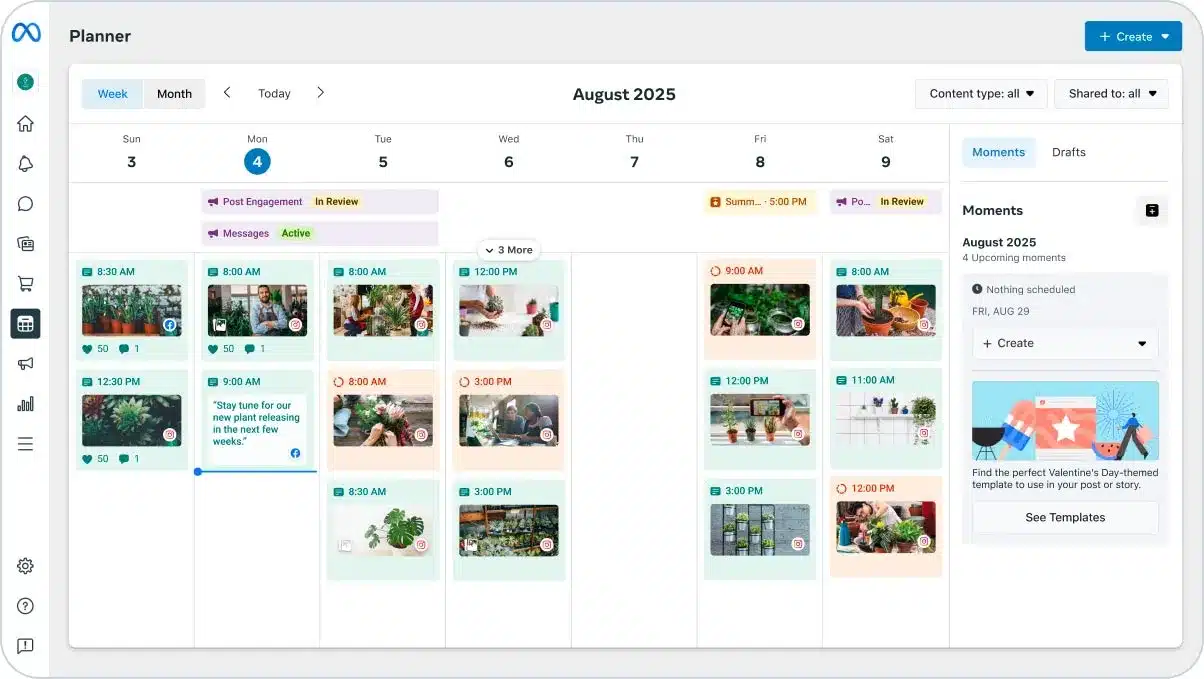
Meta Business Suite is Instagram’s official scheduling tool, and it’s completely free. If you’re running a business account and don’t need fancy visuals or advanced workflows, this tool does the job quietly and reliably.
You can schedule posts and Reels directly to Instagram and Facebook, track basic insights, and manage messages in one place. While it lacks polish and creative tools, the fact that it’s native makes it trustworthy for direct publishing.
Key features:
- Direct Instagram auto-publishing
- Reel scheduling
- Basic analytics
- Message & comment management
Pros:
- 100% free
- Official Meta tool
- Reliable auto-posting
Cons:
- No visual grid planning
- Interface feels clunky
Pricing:
Free.
5. Metricool:
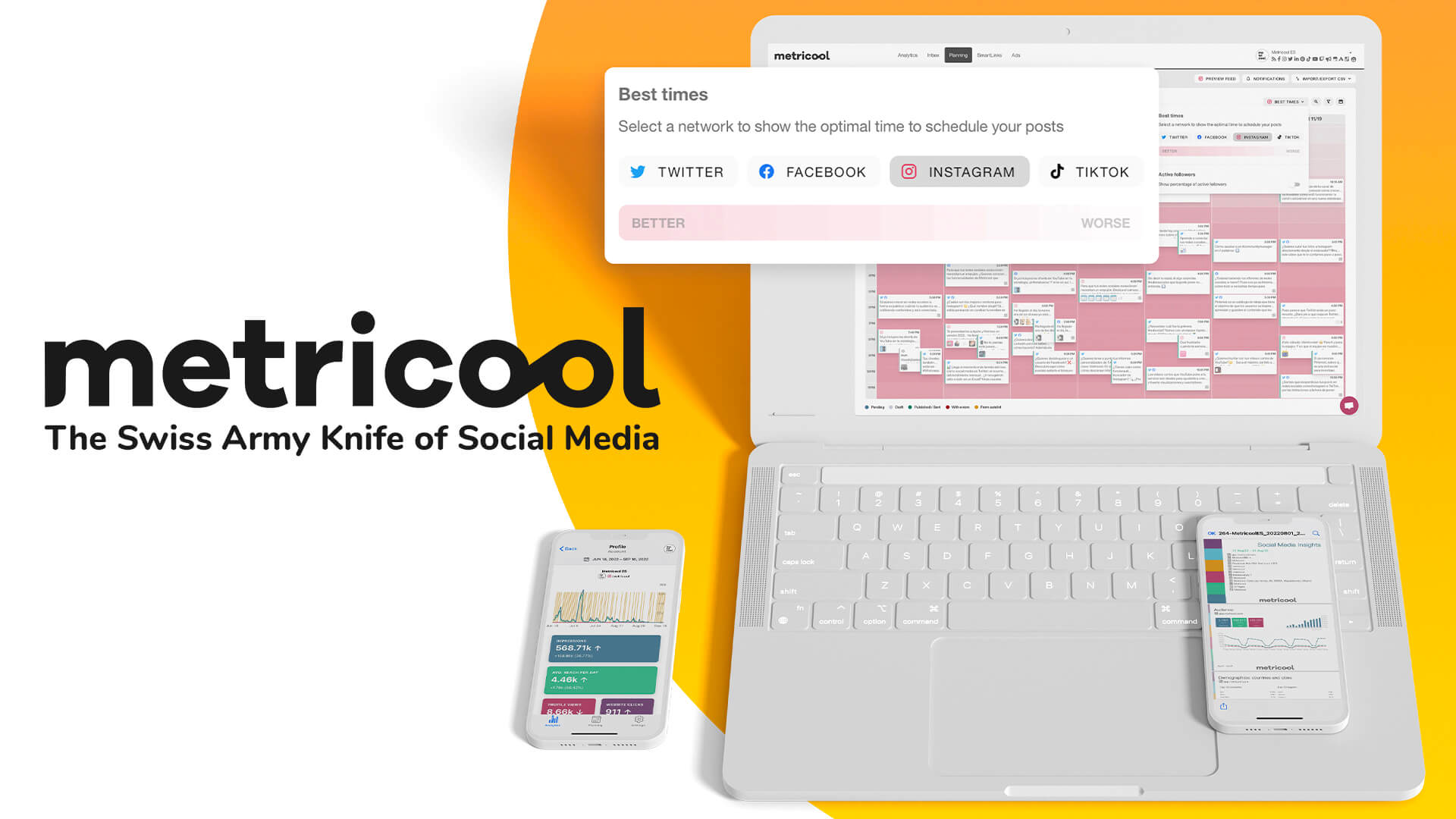
Metricool is ideal for creators and marketers who like to balance scheduling with data. It goes beyond just publishing by helping you understand what’s working and when your audience is most active.
Along with Instagram scheduling, Metricool offers detailed analytics, competitor tracking, and performance reports. The platform supports multiple social networks, but its Instagram insights are particularly strong.
Key features:
- Content calendar
- Best time to post
- Instagram analytics
- Competitor tracking
- Multi-platform scheduling
Pros:
- Strong analytics even on the free plan
- Clean reporting
- Great value for marketers
Cons:
- The interface can feel busy
- Visual planner is basic
Pricing:
Free plan available. Paid plans start at ~$18/month.
6. Planable:
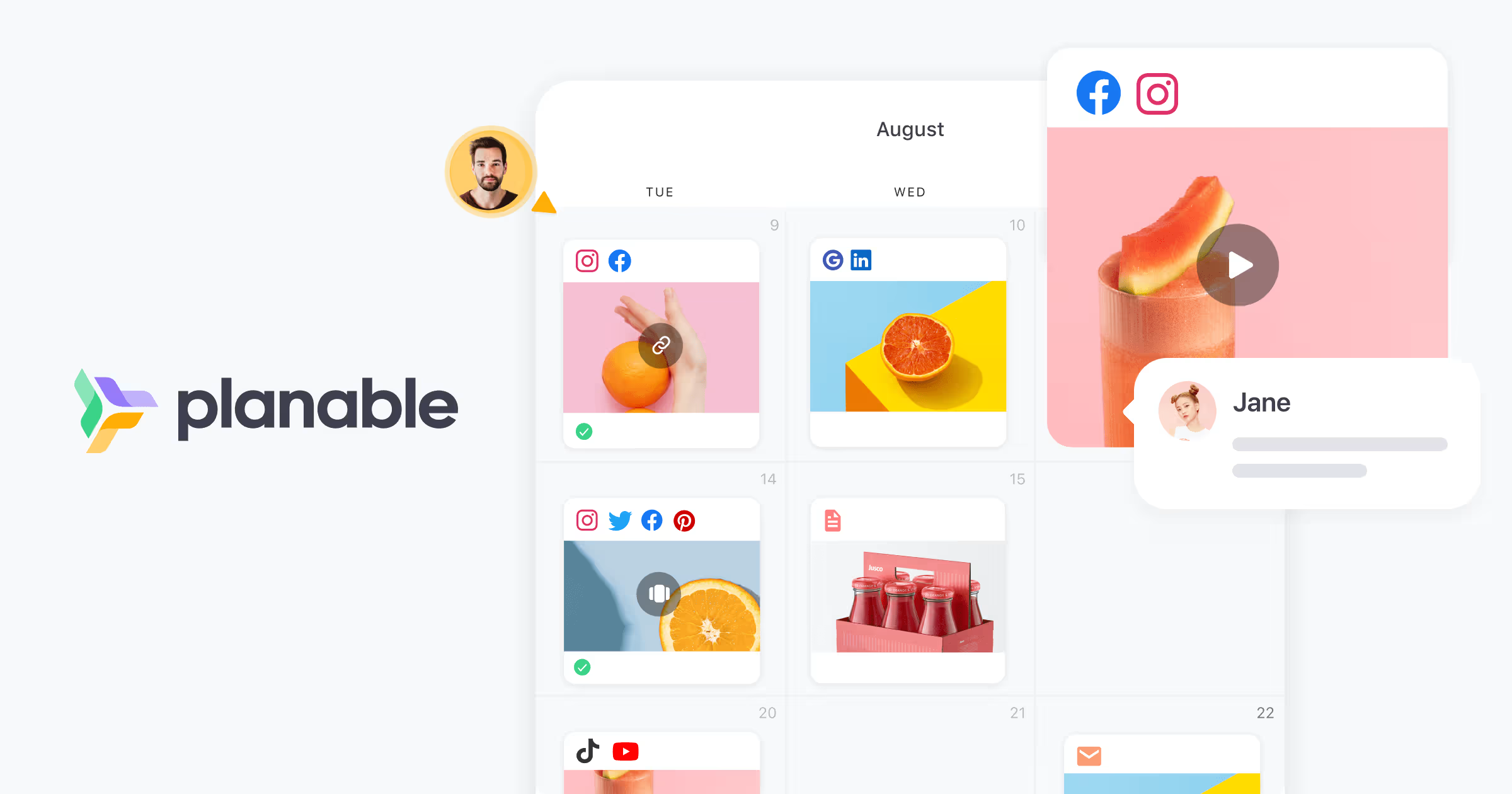
Planable is designed around collaboration. If your Instagram content goes through reviews, approvals, or client feedback, this tool makes the process far less chaotic.
It allows teams to comment directly on posts, preview content exactly as it will appear on Instagram, and approve or reject posts before publishing. While it’s not Instagram-exclusive, it excels at structured workflows.
Key features:
- Visual post previews
- Approval workflows
- Comment-based feedback
- Content calendar
- Multi-platform support
Pros:
- Excellent for teams & agencies
- Clean approval system
- Client-friendly interface
Cons:
- Not built solely for Instagram
- Analytics are limited
Pricing:
Free trial available. Paid plans start at ~$11/month.
7. Publer:
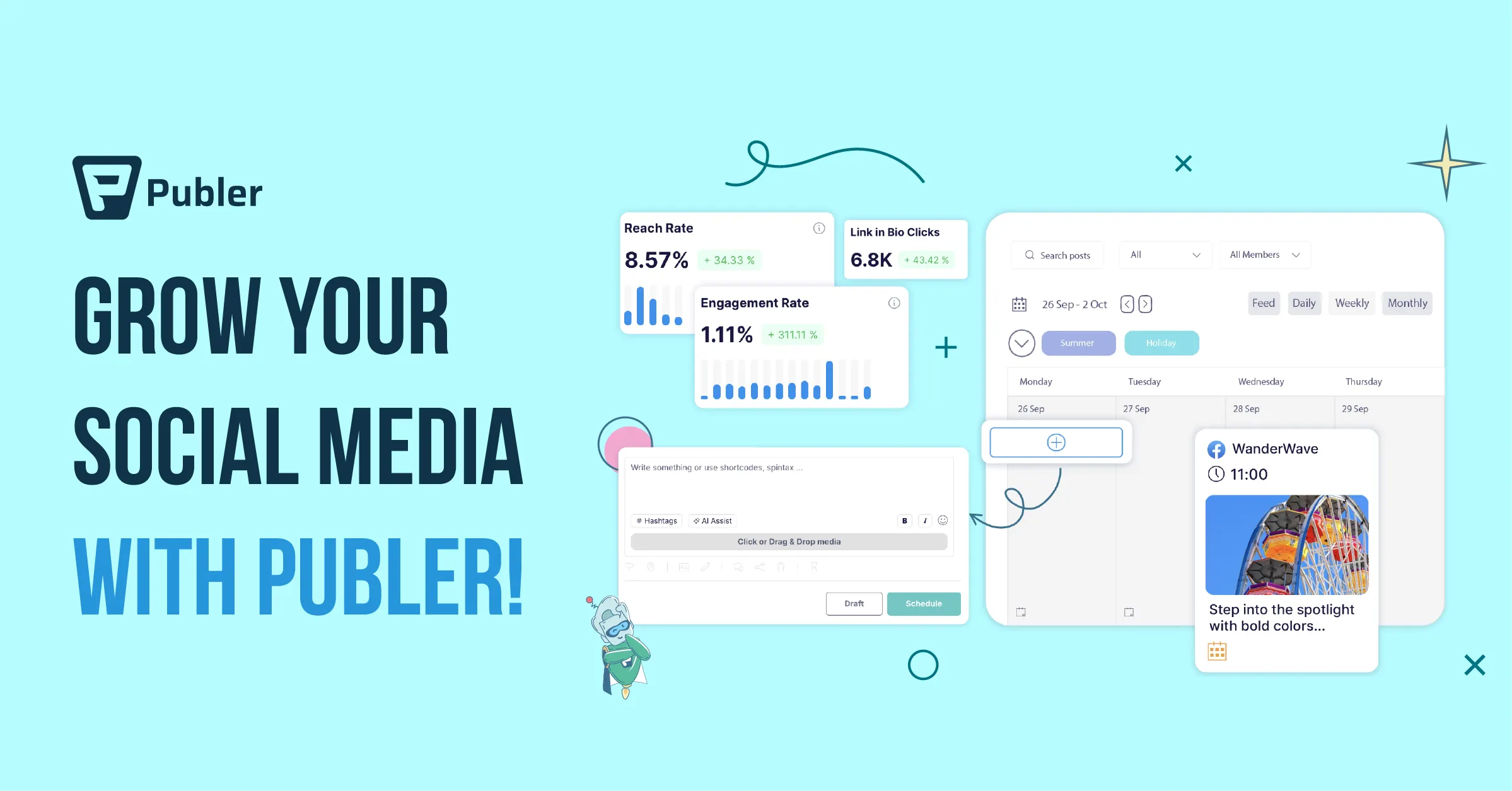
Publer is a budget-friendly Instagram scheduler that quietly offers more features than most people expect. It’s a strong choice for creators who want power without paying premium prices.
The tool supports bulk scheduling, recurring posts, and multi-platform publishing. While the interface isn’t the most modern, Publer makes up for it with practical features that save time.
Key features:
- Bulk scheduling
- Content calendar
- Media library
- Watermark-free uploads
- Multi-platform publishing
Pros:
- Affordable pricing
- Feature-rich free plan
- Great value for money
Cons:
- UI feels dated
- Limited Instagram-specific visuals
Pricing:
Free plan available. Paid plans start at ~$12/month.
8. Pallyy:
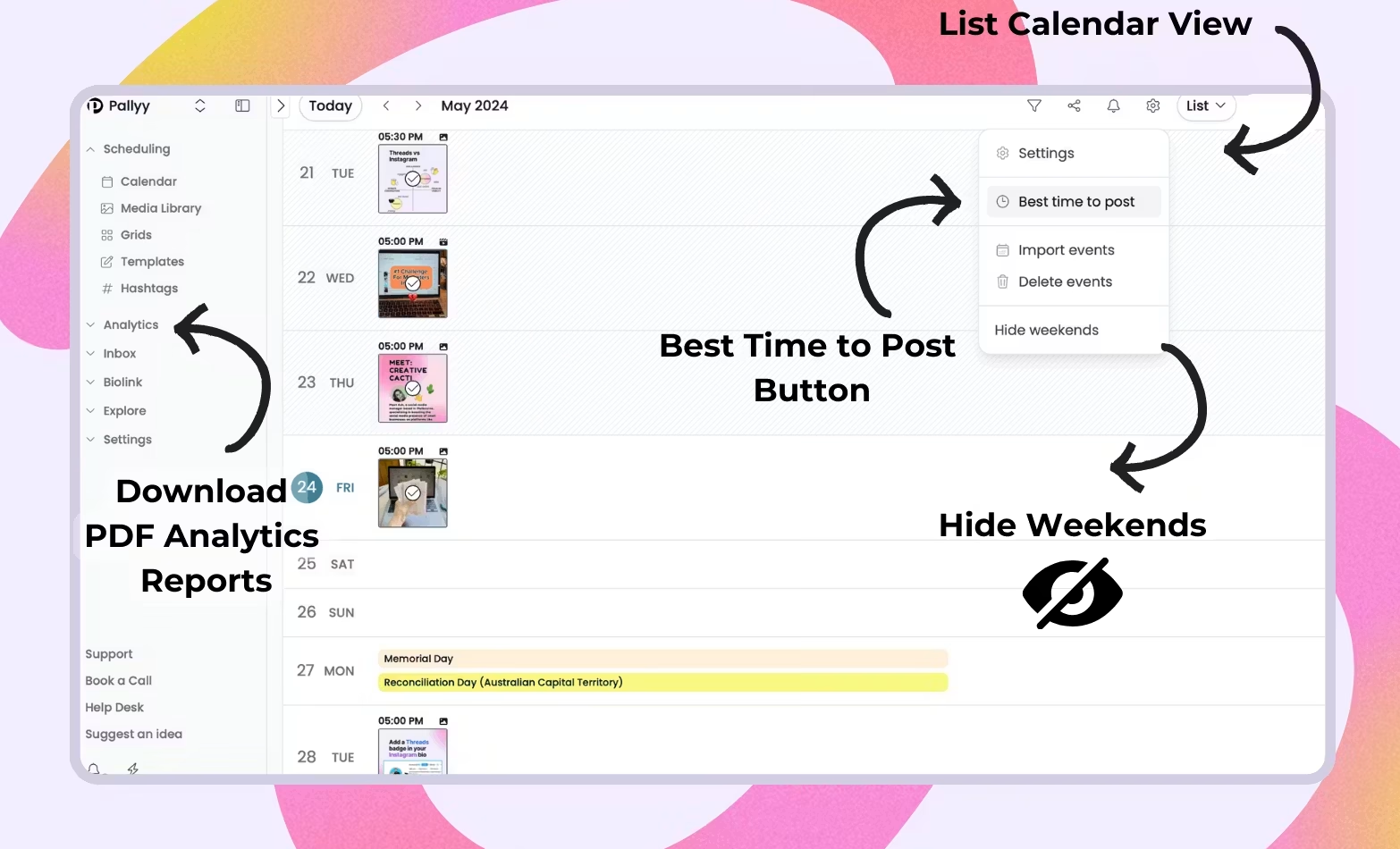
Pallyy is an Instagram-focused scheduler that offers premium features at a surprisingly reasonable price. You pay only for the social profiles you need, with team access available as an add-on.
It was clearly built with visual creators in mind. From grid previews to hashtag lists and first-comment scheduling, Pallyy makes planning Instagram content feel natural and organized. It also supports platforms like Facebook, LinkedIn, TikTok, and X.
Key features:
- Visual planning grid
- Content calendar
- First comment scheduling
- Hashtag lists
- Canva integration
- Analytics
- Bio link tool
Pros:
- Excellent Instagram-focused features
- Beautiful visual planner
- Great value for creators
Cons:
- Limited features for non-Instagram platforms
- Some settings are easy to miss
Pricing:
Paid plans start at $15/month per social group.
9. SocialBee:
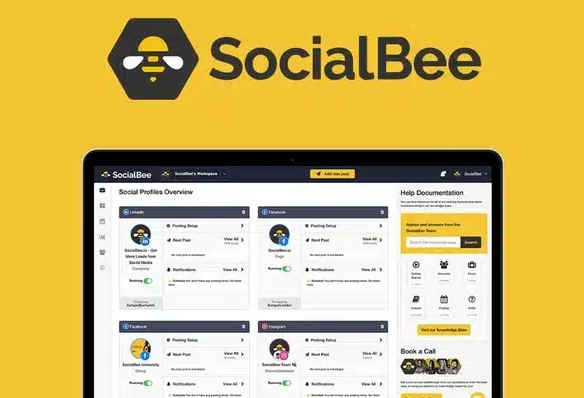
SocialBee is built for people who want structure and consistency. It’s especially useful if you rely on evergreen content and don’t want your feed to go quiet.
The platform lets you organize posts into categories, recycle high-performing content, and schedule across multiple platforms. While it takes time to set up, it pays off in long-term efficiency.
Key features:
- Content categories
- Evergreen scheduling
- Content calendar
- Analytics
- Multi-platform publishing
Pros:
- Strong long-term planning tools
- Excellent for evergreen content
- Reliable scheduling
Cons:
- Interface feels dense
- Learning curve for beginners
Pricing:
Plans start around $29/month.
10. Sprout Social:
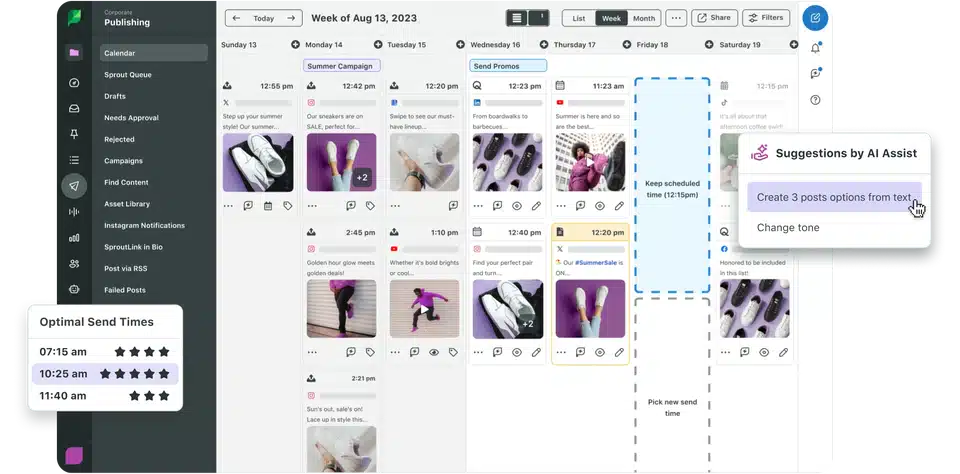
Sprout Social sits at the premium end of Instagram scheduler tools. It’s built for brands that need deep insights, polished reports, and strong customer engagement tools.
Beyond scheduling Instagram posts, Sprout Social excels at analytics, social listening, and inbox management. It’s not designed for casual creators—but for large teams, it’s incredibly powerful.
Key features:
- Advanced analytics
- Social inbox
- Team workflows
- Reporting & insights
- Multi-platform scheduling
Pros:
- Best-in-class analytics
- Excellent support
- Strong enterprise features
Cons:
- Very expensive
- Overkill for small creators
Pricing:
Plans start at ~$249/month. Free trial available.
How to Choose the Right Instagram Scheduler?
Let me simplify this.
- Solo creator? Start with Later, Buffer, or Pallyy.
- Small business or freelancer? Metricool or Publer gives great value.
- Agency or team? Hootsuite, Planable, or Sprout Social.
- Just want free and official? Meta Business Suite.
Honestly, the “best” Instagram post scheduler isn’t universal. It’s the one that fits your workflow without friction.
Final Thoughts
Here’s the quiet irony.
Scheduling your Instagram posts doesn’t make your content robotic. It actually gives you more room to be creative. Less panic. More intention.
Try one tool. Stick with it for a month. Adjust. Switch if needed. That’s normal.
Consistency isn’t about perfection—it’s about showing up, calmly and repeatedly.
And a good scheduler? It helps you do exactly that.
FAQ’S:
If you don’t want to use third-party Instagram scheduling apps, you can post manually, use reminders, or rely on Meta Business Suite, which is Instagram’s official free scheduling tool. However, these options lack advanced features like grid previews, analytics, content calendars, and team collaboration that most Instagram scheduler tools provide.
Yes. Instagram allows scheduling through Meta Business Suite. It lets you schedule posts and Reels for Instagram and Facebook for free. That said, it doesn’t offer visual planning, hashtag tools, or advanced analytics like dedicated Instagram post scheduling apps.
Some of the best free Instagram scheduling apps include:
Buffer (limited posts)
Later (basic visual planner)
Metricool (free analytics + scheduling)
Publer (feature-rich free plan)
Meta Business Suite (fully free, official)
Free plans usually come with limits on post count or analytics.
No. Hootsuite discontinued its free plan in 2023. It now offers a 30-day free trial, after which paid plans start at a higher price point, making it more suitable for teams and agencies rather than individual creators.
Here’s a quick breakdown:
Buffer – Best free Instagram scheduler
Iconosquare – Professional analytics-focused scheduler
Hootsuite – Full social media management tool
Tailwind – Best for visually polished Instagram posts
Each tool serves a different need depending on budget and workflow.
Yes. Tools like Later, Pallyy, and Hopper HQ offer Instagram grid planners that let you preview how your feed will look before posting. This helps maintain a consistent visual style.
For creators who focus on aesthetics and consistency, tools like Later, Pallyy, and Tailwind are popular choices because they offer grid previews, hashtag tools, and content calendars.
There’s no single best tool for everyone.
Beginners often prefer Buffer or Meta Business Suite
Creators lean toward Later or Pallyy
Marketers favor Metricool or Iconosquare
Agencies usually choose Hootsuite or Sprout Social
The best Instagram scheduler depends on your goals, budget, and workflow.